> ## Documentation Index
> Fetch the complete documentation index at: https://docs.tabby.ai/llms.txt
> Use this file to discover all available pages before exploring further.

# On‑Site Messaging

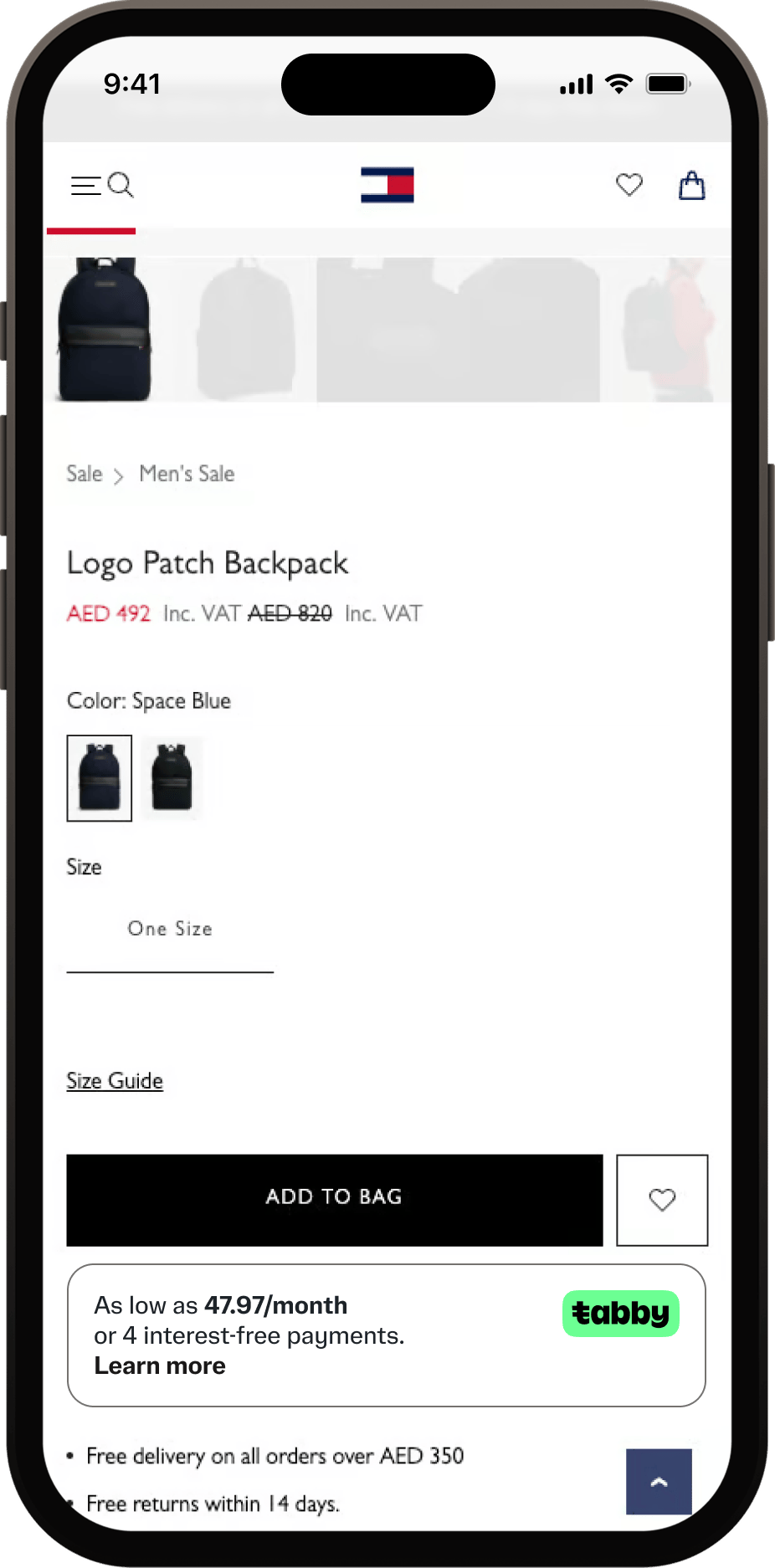
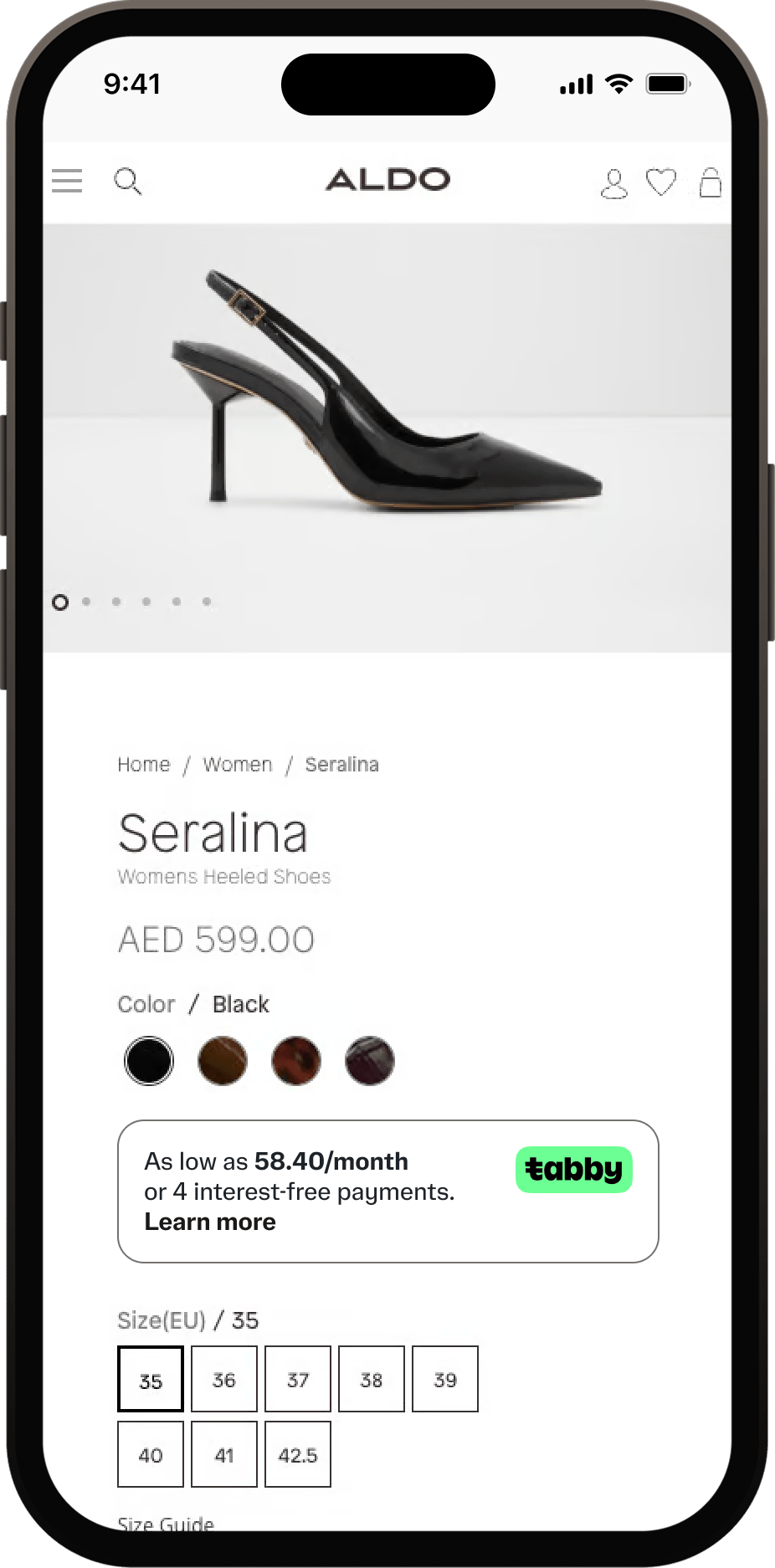
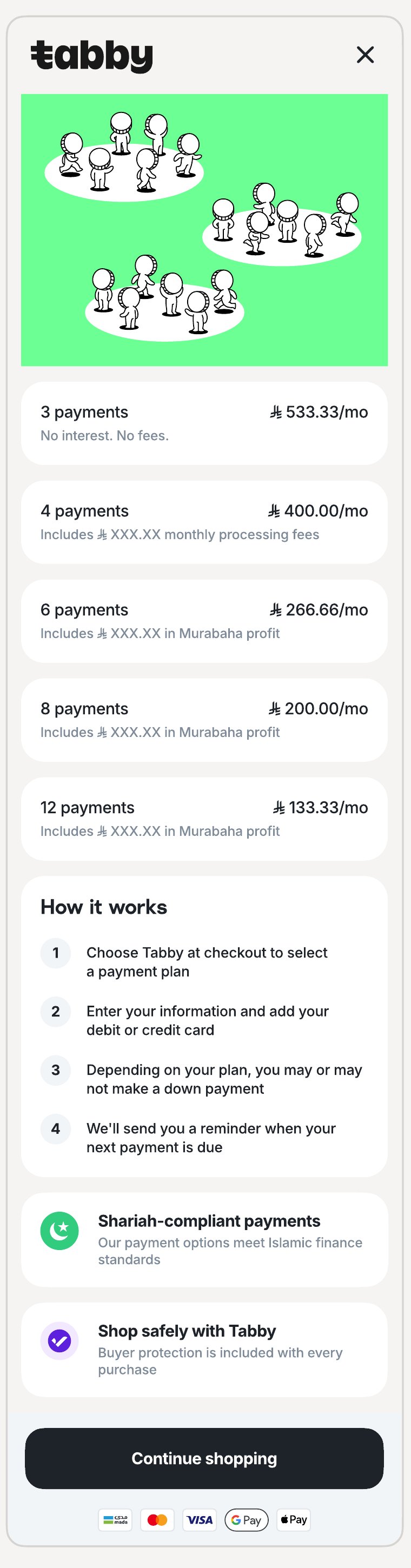
Tabby's JavaScript snippets show split-price messaging right where customers decide to buy — on your Product, Cart and Checkout pages. They raise awareness of flexible payments before checkout, which directly increases conversion. Each snippet includes a "Learn more" link that opens a pop-up with the payment schedule.

<div style={{ display: "flex", flexWrap: "wrap", gap: "1rem", justifyContent: "center", alignItems: "flex-start" }}>
  <img className="snippet-shot" alt="Product page snippet" src="https://mintcdn.com/tabby-5f40add6/3nGYTYSG6mu_ycF5/images/pdp-snippet-th.png?fit=max&auto=format&n=3nGYTYSG6mu_ycF5&q=85&s=466ce6813d3b041d8e16c3ef9369c6e7" width="200" data-path="images/pdp-snippet-th.png" />

  <img className="snippet-shot" alt="Product page snippet" src="https://mintcdn.com/tabby-5f40add6/3nGYTYSG6mu_ycF5/images/pdp-snippet-aldo.png?fit=max&auto=format&n=3nGYTYSG6mu_ycF5&q=85&s=cf9ebf4a412932ab6e5ee691da9f3a8d" width="200" data-path="images/pdp-snippet-aldo.png" />

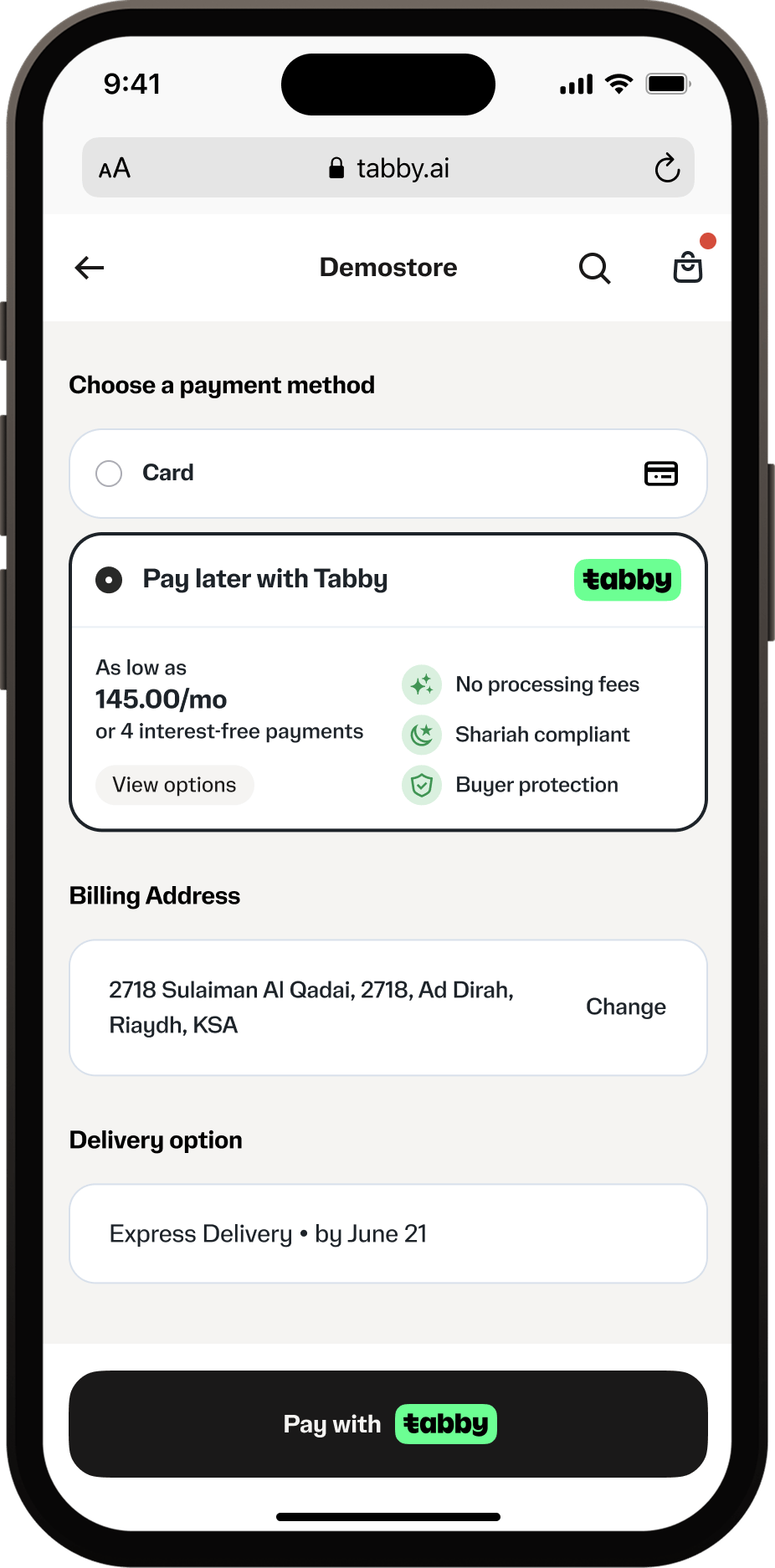
  <img className="snippet-shot" alt="Checkout page snippet" src="https://mintcdn.com/tabby-5f40add6/3nGYTYSG6mu_ycF5/images/checkout-snippet-0626.png?fit=max&auto=format&n=3nGYTYSG6mu_ycF5&q=85&s=ec5e19233b86df466833607b342f4588" width="200" data-path="images/checkout-snippet-0626.png" />
</div>

## Add the snippets

Two components cover all pages:

* **`TabbyPromo`** — Product and Cart pages.
* **`TabbyCard`** — Checkout page, the recommended way to present Tabby payment details at checkout (see <a href="/pay-in-4-custom-integration/checkout-flow#tabby-on-checkout">Tabby on Checkout</a>).

<Warning>
  Don't give the container an `id` equal to a component name (`TabbyPromo`, `TabbyCard`): browsers expose element ids on `window`, and the div shadows the Tabby constructor, so the snippet silently doesn't render.
</Warning>

### Product and Cart page snippet

The Product and Cart page snippet uses the `TabbyPromo` component to display promotional messaging on product and cart pages.

Create an empty `<div>` element with a unique selector, preferably using an `id`:

```html theme={"dark"}
<div id="TabbyPromo"></div>
```

For maximum visibility, place the container in one of the suggested places:

* **Product**: near the product price or next to the "Add to cart" button;
* **Cart**: below the total cart amount.

Include the Tabby Promo script in your page and initialize the `TabbyPromo` component after the script loads:

```html theme={"dark"}
<script src="https://checkout.tabby.ai/tabby-promo.js"></script>
<script>
  new TabbyPromo({
    selector: '#TabbyPromo', // required
    currency: 'AED', // required, 'AED' or 'SAR', uppercase, no spaces
    price: '2000.00', // required, 2 decimal places for AED and SAR
    lang: 'en', // optional, 'en' or 'ar'
    source: 'product', // optional, 'product' or 'cart'
    shouldInheritBg: false, // optional, true or false
    publicKey: 'your_pk', // required, your public key
    merchantCode: 'your_merchant_code' // required, your merchant code, based on your store currency
  });
</script>
```

Re-initialize `TabbyPromo` when the price changes (e.g. variant or quantity selectors).

If the white background of the snippet does not match your website design and you want the snippet to inherit the background color, you can use `shouldInheritBg: true`. When this parameter is set to `true`, you can also customize the text and link colors using the following CSS variables:

```css theme={"dark"}
--snippetTextColor: white;
--snippetLinkTextColor: white;
```

#### Complete Product and Cart snippet example

```html theme={"dark"}
<html>
  <body>
    <div id="TabbyPromo"></div>
    <script src="https://checkout.tabby.ai/tabby-promo.js"></script>
    <script>
      new TabbyPromo({
        selector: '#TabbyPromo',
        currency: 'AED',
        price: '2000.00',
        lang: 'en',
        source: 'product',
        shouldInheritBg: false,
        publicKey: 'your_pk',
        merchantCode: 'your_merchant_code'
      });
    </script>
  </body>
</html>
```

### Checkout snippet

The checkout snippet uses the `TabbyCard` component to display payment information during checkout.

Create an empty `<div>` element where the Tabby Card will be displayed:

```html theme={"dark"}
<div id="TabbyCard"></div>
```

Place this `div` under the Tabby payment method option. Display it when the Tabby payment method is selected.

Load and initialize `TabbyCard`:

```html theme={"dark"}
<script src="https://checkout.tabby.ai/tabby-card.js"></script>
<script>
  new TabbyCard({
    selector: '#TabbyCard', // required
    currency: 'AED', // required, 'AED' or 'SAR', uppercase, no spaces
    price: '2000.00', // required, 2 decimal places for AED and SAR
    lang: 'en', // optional, 'en' or 'ar'
    shouldInheritBg: false, // optional, true or false
    publicKey: 'your_pk', // required, your public key
    merchantCode: 'your_merchant_code' // required, your merchant code, based on your store currency
  });
</script>
```

#### Complete Checkout snippet example

```html theme={"dark"}
<html>
  <body>
    <div id="TabbyCard"></div>
    <script src="https://checkout.tabby.ai/tabby-card.js"></script>
    <script>
      new TabbyCard({
        selector: '#TabbyCard',
        currency: 'AED',
        price: '2000.00',
        lang: 'en',
        shouldInheritBg: false,
        publicKey: 'your_pk',
        merchantCode: 'your_merchant_code'
      });
    </script>
  </body>
</html>
```

Snippets only need your Public Key and merchant code — never expose the Secret Key in frontend code.

Make sure snippets fit mobile screen widths (320px minimum).

## Live demo

Everything below is rendered live by `tabby-promo.js` and `tabby-card.js` — exactly what your customers will see. Switch the market to preview English/AED and Arabic/SAR, and click "Learn more" to open the real pop-up.

<iframe frameBorder="0" height="780px" src="https://bnpl-demo.com/snippet-demo.html" title="Tabby On-Site Messaging live demo" width="100%" />

## Custom Promo Snippets

If you can't load Tabby's JavaScript (security policies, native mobile apps, full styling control), build your own message and open the Tabby "Learn more" pop-up via a direct URL:

| Description | URL |
| - | - |
| UAE pop-up, English | [**https://checkout.tabby.ai/promos/product-page/installments/en/?price=2000.00\&currency=AED\&merchant\_code=your\_merchant\_code\&public\_key=pk\_xyz**](https://checkout.tabby.ai/promos/product-page/installments/en/?price=2000.00\&currency=AED\&merchant_code=your_merchant_code\&public_key=pk_...) |
| KSA pop-up, Arabic | [**https://checkout.tabby.sa/promos/product-page/installments/ar/?price=2000.00\&currency=SAR\&merchant\_code=your\_merchant\_code\&public\_key=pk\_xyz**](https://checkout.tabby.sa/promos/product-page/installments/ar/?price=2000.00\&currency=SAR\&merchant_code=your_merchant_code\&public_key=pk_...) |

#### URL Parameters

| Parameter | Required | Description | Values |
| - | - | - | - |
| `merchant_code` | Yes | Your merchant code | Provided by Tabby |
| `public_key` | Yes | Your Tabby public key | `'pk_test_...'`, `'pk_...'` |
| `price` | Yes | Product or cart price | `'1200.00'`, `'99.99'` |
| `currency` | Yes | Currency code | `AED`, `SAR` |
| `lang` | No | Language code | `en`, `ar` |

<Note>
  If you implement your own custom snippet, notify your Tabby account manager so we can keep your integration in sync with upcoming changes.
</Note>

<div style={{ display: "flex", flexWrap: "wrap", gap: "1rem", justifyContent: "center", alignItems: "flex-start" }}>
  <img className="product-shot" alt="UAE pop-up with price, en" src="https://mintcdn.com/tabby-5f40add6/P693KbtvGHftcJLw/images/custom-uae-en-0625.JPG?fit=max&auto=format&n=P693KbtvGHftcJLw&q=85&s=4705d8f2eacfe6bd9b9a996302fb3d8e" width="200" data-path="images/custom-uae-en-0625.JPG" />

  <img className="product-shot" alt="KSA pop-up with price, en" src="https://mintcdn.com/tabby-5f40add6/iK1YsG45ORNrhJBb/images/custom-ksa-en-0626.png?fit=max&auto=format&n=iK1YsG45ORNrhJBb&q=85&s=73803f1c4e0404d45b45838e74bddb9c" width="200" data-path="images/custom-ksa-en-0626.png" />
</div>

For promo messaging inside native mobile apps, see <a href="/pay-in-4-custom-integration/mobile-apps/app-promo-messaging">App Promo Messaging</a>.


This documentation is built and hosted on [Mintlify](https://mintlify.com), a developer documentation platform.